One agent that runs the whole lifecycle.
LFG is the factory around the coding agents. It plans the work, orchestrates Claude Code, Codex and Pi sessions in parallel sandboxes, runs every change in an in-app preview, and checks it against what was asked for, on the models and tools your team already uses.
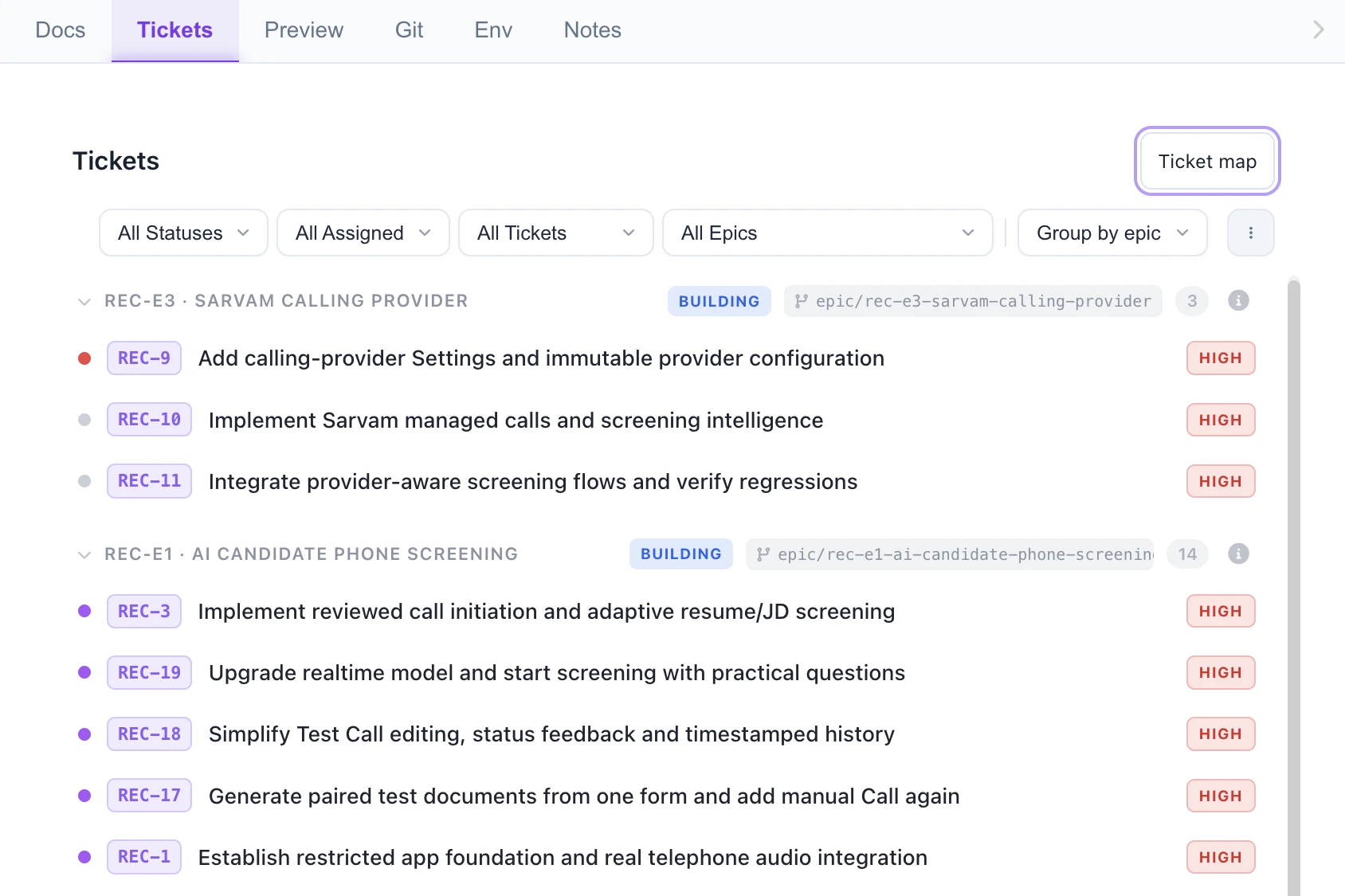
Decide what to build · with your team
Build · in parallel sandboxes
Verify what got built · before you review
Architecture decisions
Designed before it's built.
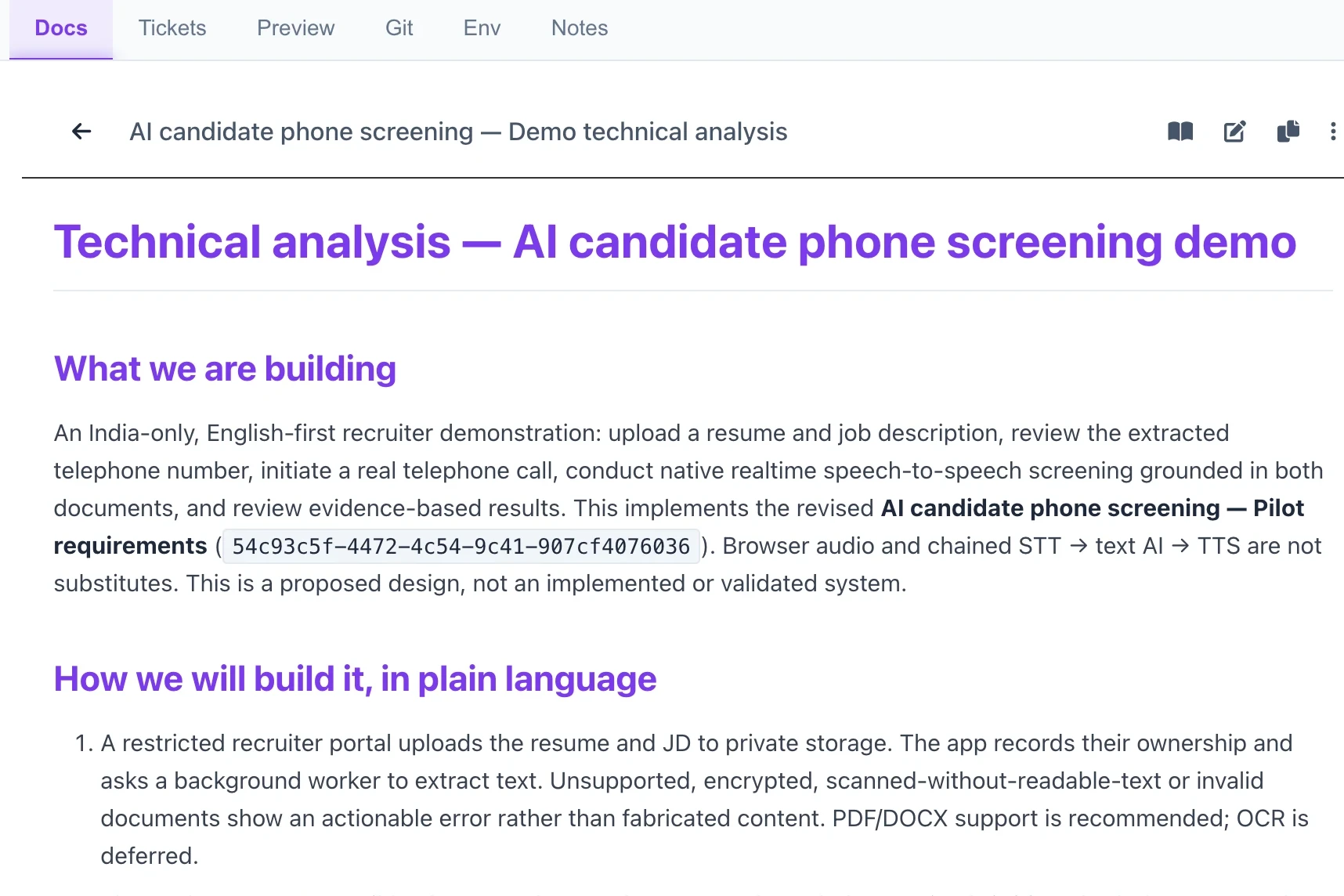
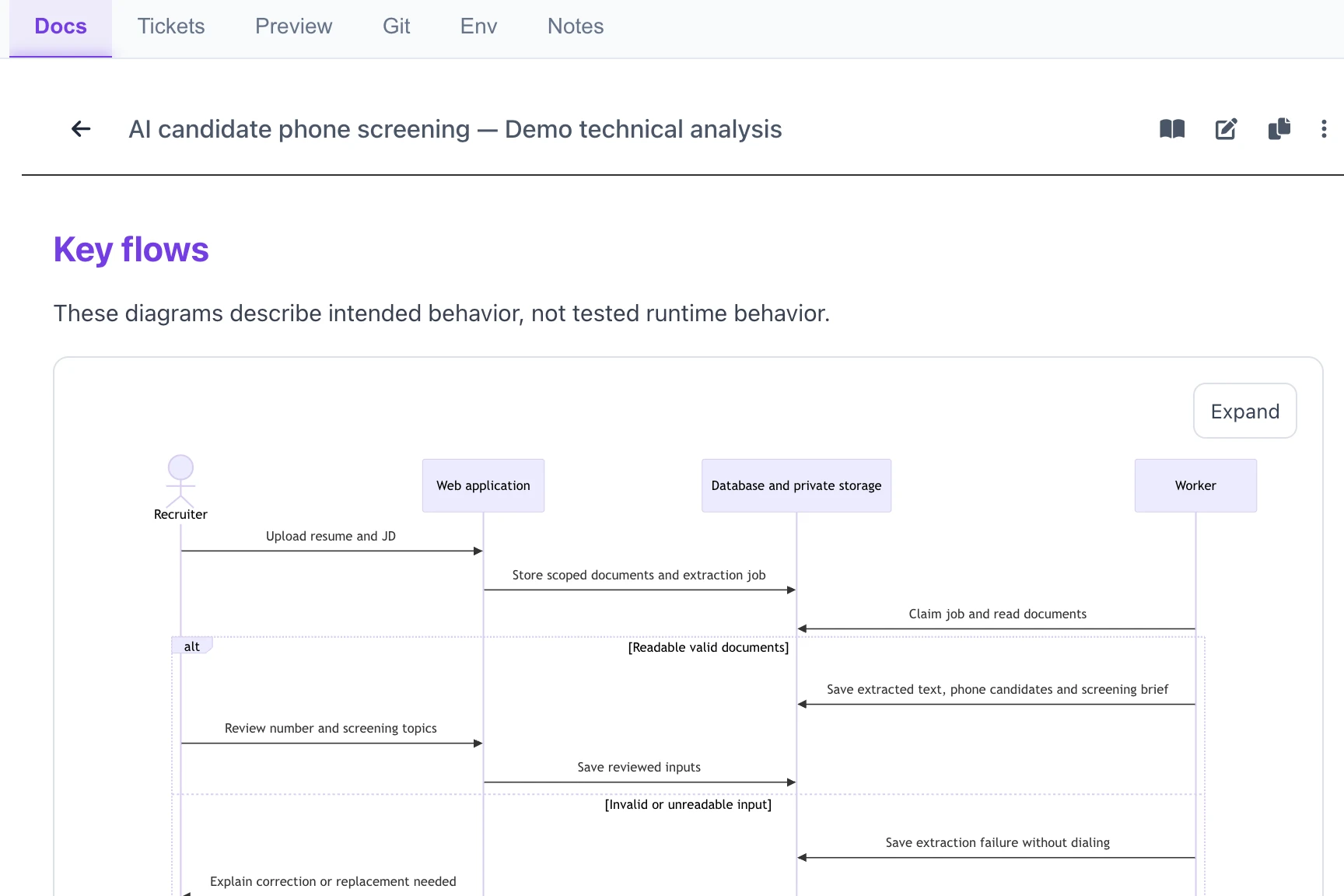
Before a single ticket runs, LFG writes the technical analysis for the epic: what is being built, how, in plain language, and the key flows as sequence diagrams with their failure paths. Agents build against decisions your architect has already approved, so they don't make them up halfway through a session.
Orchestration
Coding agents, run at scale.
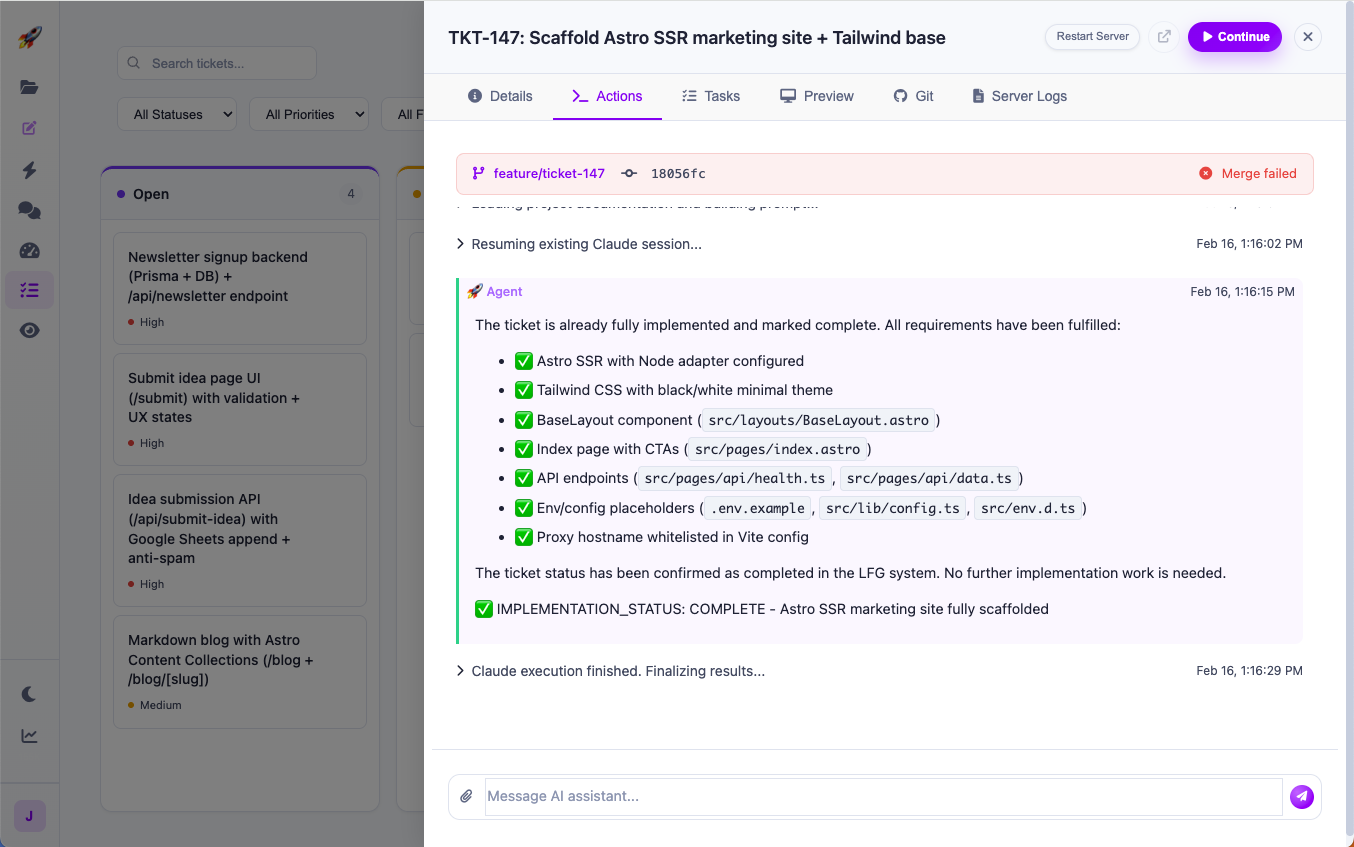
A single agent session is limited by one context window and one person watching it. LFG runs many sessions, each with only the context its ticket needs, and coordinates them through the plan.
- Each ticket gets its own sandbox and its own branch. Nothing runs loose on your machines.
- Independent tickets run in parallel; dependent ones wait for what they need.
- Context from finished tickets travels forward to the ones that build on them.
- Live logs and diffs for every session. Continue, steer or restart at any point.
- Fresh sandbox per ticket, or lanes inside a shared always-on preview of the project.
In-app preview
Every change, running inside LFG.
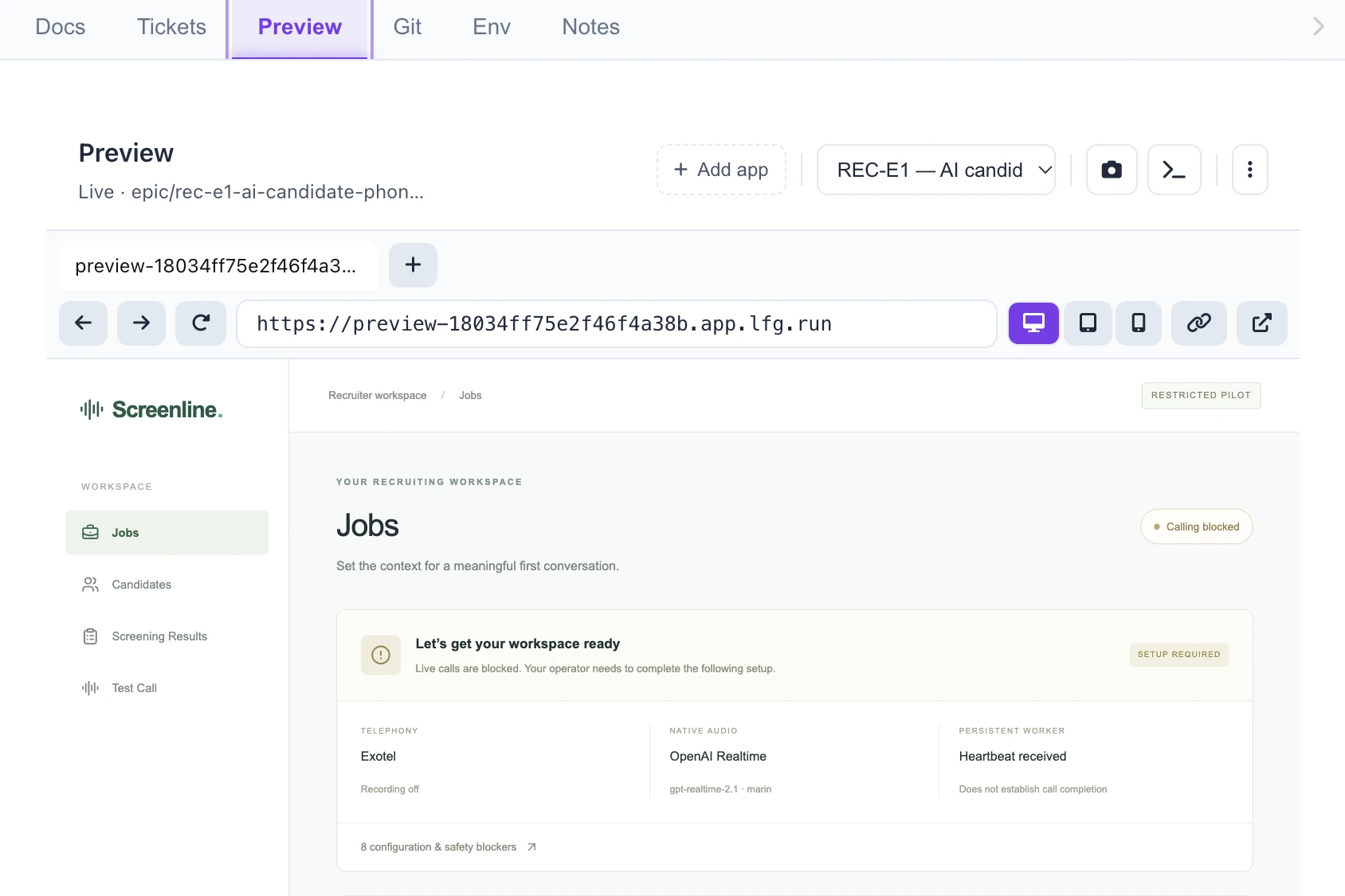
No pulling branches, no local setup, no "works on my machine". LFG stands the app up in its sandbox and opens it in a browser right next to the ticket, at its own URL, with its logs, its databases and its setup steps a click away.
1
Detect
Reads the codebase and works out how the app runs
2
Provision
Starts the services it needs: Postgres, MySQL, SQL Server, Redis
3
Install
Installs dependencies inside the sandbox
4
Seed
Applies migrations and seed data, and remembers verified test logins
5
Start
Boots the app and opens it in a browser inside LFG
Verification
A QA agent that doesn't take the code's word for it.
A model that has read the diff will write tests that check what the code does, not what the ticket asked for. Those pass every time and tell you nothing. LFG checks them mechanically.
Red: before the change
Each new test runs against the code as it was before the ticket. It should fail, because the feature is not there yet.
Green: after the change
The same test runs against the new code. It should pass. Only tests that flip are kept, committed to the ticket's branch.
Recorded evidence
Frontend tickets get a walkthrough recorded in a real browser; API tickets get the calls and responses. Both sit on the ticket's Preview tab.
Model-agnostic
Any model, on the plans you already pay for.
Sign in with your team's Claude or ChatGPT subscription, or use API keys. Switch per project, task, cost or client policy. Admins decide which models and subscriptions each team may use.
 Claude
 GPT
 Gemini
 Grok
 DeepSeek
 Kimi
 GLM
Claude Code
Anthropic models, on a Claude plan or API key
Codex
OpenAI models, on a ChatGPT plan or API key
Pi
Gemini, DeepSeek, Kimi, GLM and other providers
Your tooling
Works with what your company already runs.
The factory fits into your existing workflow rather than replacing it, and we customise the pipeline (templates, definition of done, review rules, stack conventions) to how your business delivers.
GitHub and GitLab
Reads your repositories, works on branches and opens pull requests under your protection rules.
Jira and Linear
Link a project to your tracker and keep tickets and their status in sync.
MCP servers
Give the agent the same internal tools and data sources your engineers use.
App connectors
Connect the docs, chat and business systems that hold the context behind a request.
Run it your way
Hosted, self-hosted, or set up for you.
Use LFG in the cloud, run the open-source core on your own infrastructure, or have us install, configure and customise a factory for your team. We can also run it for you and own the outcome.